Sharing & Collaboration
Share a session with anyone — no signup — and keep your team in sync as work happens.
Sharing a session
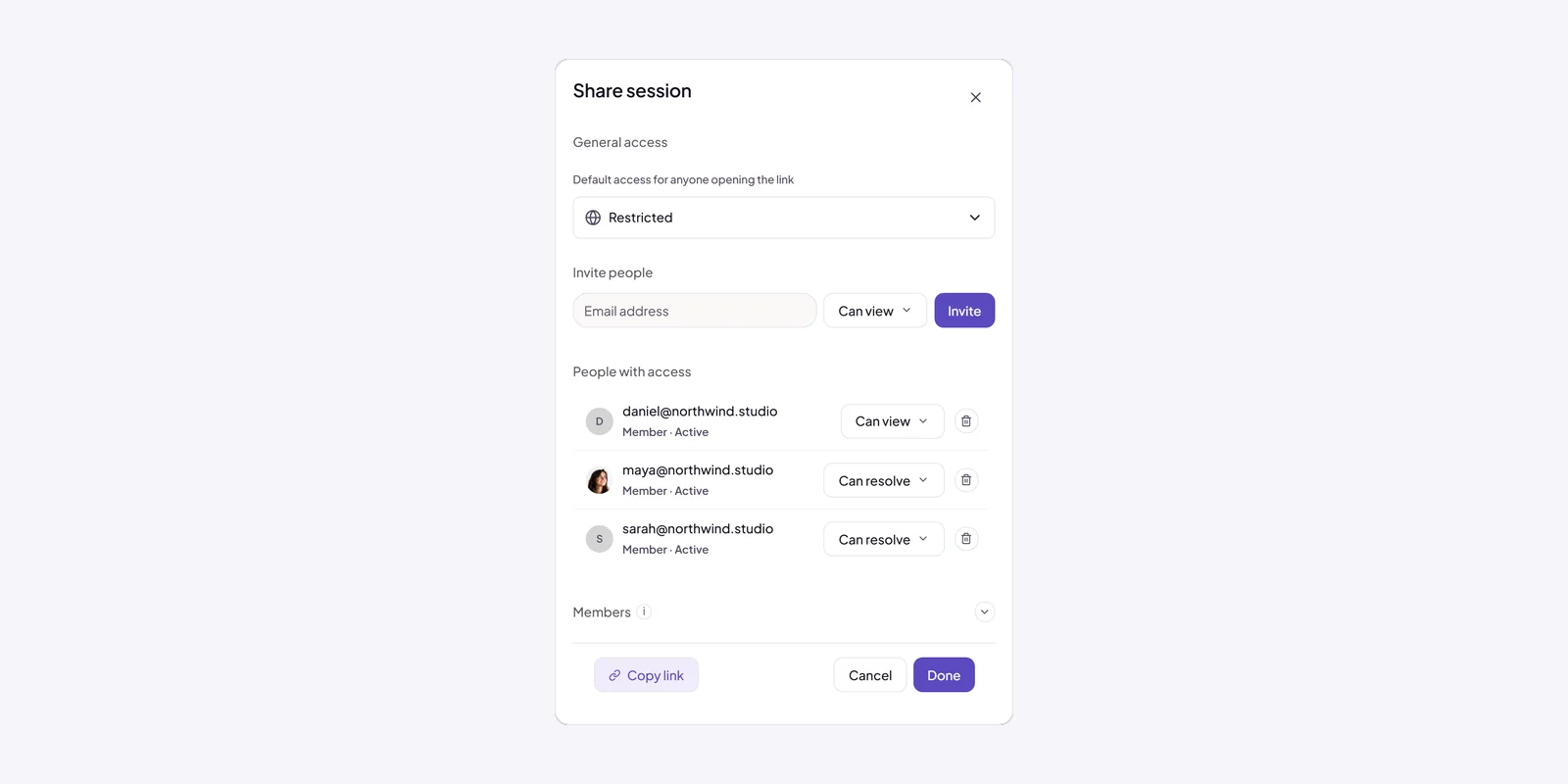
A session is meant to be shared. From a session's menu, choose Share to invite people by email or to share a link — and anyone with the link can open it in their browser with no signup and no install. The Annote extension is only for the person doing the capturing; everyone else just needs the link.
Sharing comes with access tiers so you control what recipients can do: view (read the session and its tickets), comment (add to discussions), or resolve (act on tickets). Pick the level that fits — a stakeholder who should follow along gets view; a teammate helping clear the queue gets resolve. You can also approve access requests from people who open a restricted link.
Activity & presence
Two features keep a team in sync without anyone asking “what changed?”
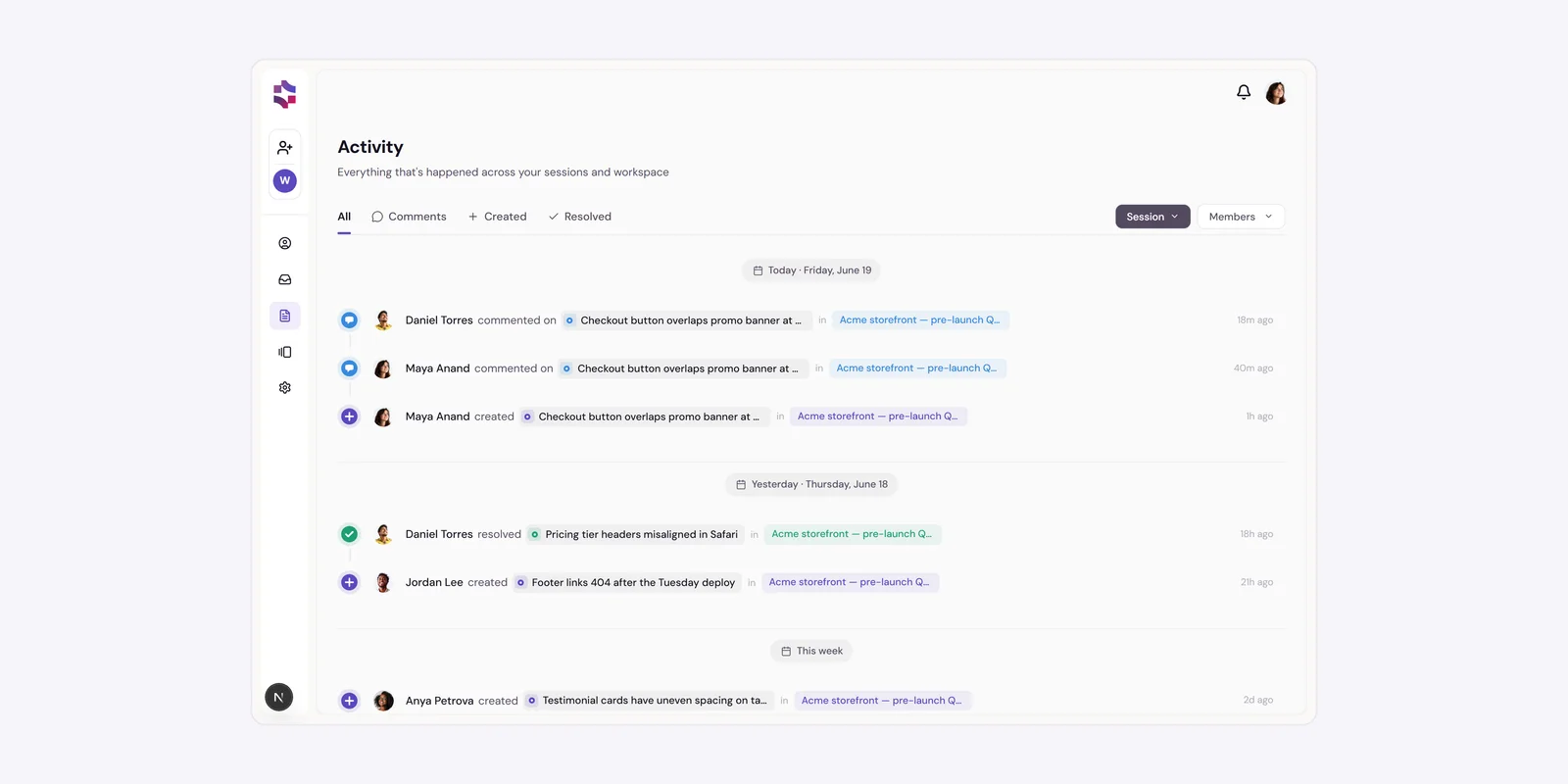
Activityis a chronological feed of everything happening in your workspace — comments, tickets created, resolved, reopened, or deleted, sessions, members joining or leaving, invites, and access approvals. Filter it by type, session, or member; it's grouped by day, and @mentions get a distinct badge. Click any ticket or session in the feed to jump straight to it.
Presenceshows who's looking at a session right now — their avatars appear, ringed, in the session's top bar while they're actively viewing. It's scoped to the session you're in, so you can see when a teammate is reviewing the same thing you are.